Field testing twin Guardians in w-space

14th December 2009 – 5.35 pm

A class 3 w-space system full of signatures appears on the other side of a wormhole, enticing the engineers to pay a visit and drag home cargo holds full of profit. I enter the system with a colleague and we both start scanning the system to get a lock on each site. My help with scanning is quickly interrupted when one of the first signatures I identify turns out to be a wormhole back to high-sec k-space, only four jumps from corporation headquarters. The opportunity is too good to miss, so, with apologies, I pass through and return to HQ to update my ME research jobs in the corporation laboratories. My diversion doesn't take long, and I am soon back to locate the final few signatures.

The abundance of sites to run and availability of engineers offers the first chance to field test our twin Guardian logistic ships. Although a benign test of the sympathetic systems across the two ships has been performed, we are yet to repair hostile damage in an engagement with Sleepers. With our capacitors remaining stable with all systems running, and four large remote armour repairers on both Guardians, it is quite unlikely that we will lack capability for our current fleet configuration. What remains interesting is how much tank our DPS ships can sacrifice before the Guardians can no longer maintain sufficient repairs.

For a start, the DPS ships can remove any self-repair and remote repair modules, relinquishing slots, grid and CPU for more aggressive modules. With tests and experience, it should be possible to remove further modules, specific to providing armour bonuses or resistances, to further increase damage output. To gather some data, we start with a simple anomaly to explore in the neighbouring C3 system, where we will be barraged with the weakest waves of Sleepers, excepting mining sites. We warp in as a fleet, my twin and I activate our energy transfer modules to replenish our capacitors, and we lock on to the fleet to start monitoring and repairing damaged armour.

I have to admit, being in a support ship repairing others doesn't come naturally to me. I first became comfortable in a DPS rôle, before being drawn to the thrill of tanking, where I settled. It is only in New Eden where I have been pulled towards a support position. Being responsible for keeping our small fleet from blowing up is a rather more active rôle than I am used to, particularly coming from passively tanked ships. Instead of focussing fire on a single target, only switching when that target is destroyed, my focus has to remain broad, covering all friendly ships in combat to monitor the current status of their armour.

The 'watch list' helps to keep fleet members' status readily available, but it isn't enough only to know how damaged a ship is. With the fleet lacking the capability to repair beyond our Guardians, I also need to maintain an active lock on each ally and provide remote repairs as required. With Sleeper threat intelligence being more advanced than k-space rats, the target of incoming fire can change frequently, requiring constant review and re-assignment of repper modules. As we take the burden of repairs off the DPS ships, their task is simplified further, only needing to point and shoot.

With little else to do, it is perhaps no wonder that the DPS pilots feel a need to call out for repairs at the slightest hint of damage, shrieking in pain as soon as the first missile or beam grazes their armour, even though our sole task is to monitor and assign repairs. At least it shows they haven't lagged out or gone AFK, I suppose. Even when one of our Guardians is targeted by Sleeper fire the second Guardian is more than capable of healing the damage. The Guardian's ability to tank was uncertain before, and knowing that it can survive a couple of barrages and then be fully repaired in a couple of module cycles comes as quite a relief.

The Sleepers in the anomaly prove little trouble for our plentiful repairing capabilities. Despite being agile enough to recognise higher threats and change targets appropriately, Sleepers still tend to concentrate their firepower, so our reppers only need to focus on two ships at most, which greatly reduces any need to balance module use across several sources of incoming damage. We continue our exploration of the C3 system and head to a more challenging magnetometric site, and even when the last wave of Sleepers arrives early, the combined firepower is easily repaired by our Guardians. We end up clearing the anomaly, one radar and three magnetometric sites in total, bringing back a huge haul of loot to sell. My purchase of the Guardian logistic ship has already paid for itself.

Crashing spaceships in a vacuum

11th December 2009 – 5.24 pm

I'm not available for long, so I log-in to update my skill queue, adding a couple of minor but useful skills at the end. The extra skills are just enough a delay to extend my training so that my current skill can end and I can start learning a secondary skill that requires the first. It still isn't possible to inject a skill to the end of a queue if the required skill isn't trained yet, even if it will finish as part of the queue completing itself. Not being able to do so is understandable, it just needs some finagling to get the required result.

Thinking about another new ship, and some added security for w-space operations, I look at what modules I may need to fit, finding I could use another skill. It's not cheap, but I've long since been worried about spending ten million ISK here and there. The academy is four jumps away, I can extend my short session to pick up the skill book, so I set my destination and undock. Select the first stargate, punch the warp drive active, activate auto-pilot. It won't take long.

I jump through the first gate to the next system, and wait. And wait. My Crane is stationery. Turning off the auto-pilot and manually warping to the stargate doesn't help. Oh well, the client hanging happens occasionally. I force New Eden to vanish and reload, jumping through to the adjacent system, where I abruptly stop again. Another reload, another hang. These repeated hangs are not good. I believe the bug that bit me earlier this week involved AP travel through high-sec, and I will not be pleased if my settings are corrupted again, even if I have a back-up. I just want to get my skill book and continue on my way, I don't need to be bothered with malfunctioning client software, particularly when the fix has apparently been deployed.

I'll fly the last jump manually, just to get my skill book injected, after which I can leave New Eden for a while and cool down. But even manual flight is too much for the client to handle. Four jumps through high-sec space, and I only make three. Five times the client hangs. I log on one last time, not to navigate but to file a petition. I am a little angry, but try to remain informative and reasonable. I just want the client to work, I don't want to spend my subscription money only to be locked out.

Filesystem Checkwits disrupt the Scarlet Monastery

10th December 2009 – 5.50 pm

How do you kill that which does not live? It's a recurring question when encountering zombies, ghouls and skeletons, one that eludes a common solution. It raises interesting discussion about the existence of the soul, particularly in conjunction with PC death and resurrection, and whether death is an oblivion awaiting us all or a release only for those pure of spirit. Perhaps the undead are wretched souls living in purgatory, or this sentiment could be a romantic notion helping us sleep at night, hoping that our own destiny is not mired by abhorrent sins. There are many relevant questions, and the long return journey to the Scarlet Monastery doesn't offer us time to resolve any of them in depth, so we resort to clobbering the undead with big weapons.

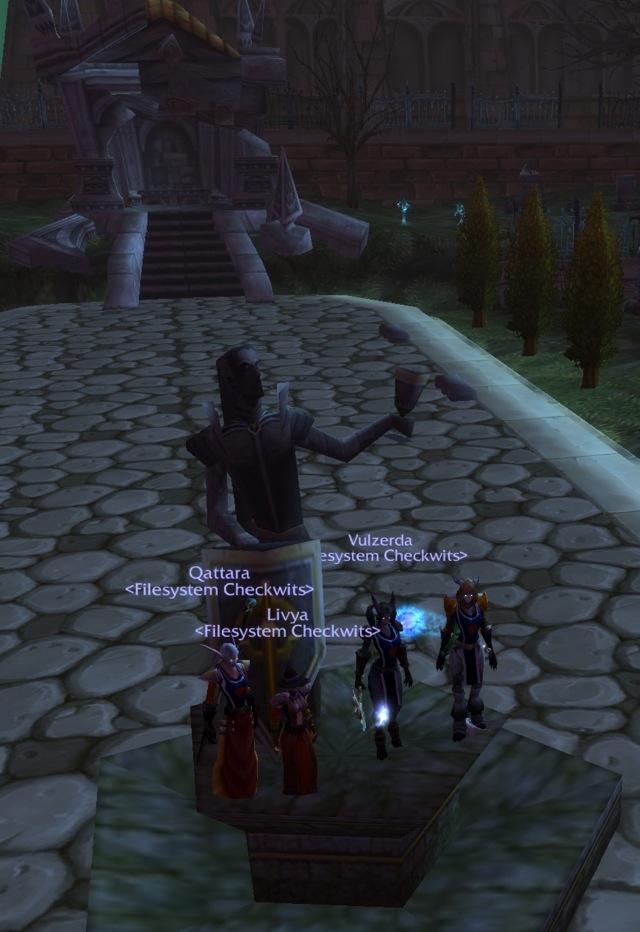
Whether or not our tactic kills the undead is unknown. But if we hit them often enough it certainly gets the undead so irritated that they at least play dead until we leave the graveyard. Their battered corpses remain still even when we pause to observe a minute's silence at The Monument to Lost Polygons. Vulzerda offers some gnome juice as a libation to all the triangles that never were. We can't stay maudlin for long, as we need to revisit the library to get the key for Qattara and Livya, and then press on to the armoury before seeing the cathedral itself.

Whilst in the library I return the Mythology of the Titans book I picked up last week, careful not to incur any penalty charges for borrowing it for too long. And it's good that I bring it back with me, as it is in high demand! No sooner have I put the book back does Qattara nab it. I deny any responsibility for the book demonstrably and repeatedly falling open at a page that features a lithograph of one particularly big titan. To distract attention away from this surely mythical figure, I threaten a whole room of monks, accompanied by a single spellcaster. As the monks will run in to melee, gathering all the mobs together is a simple matter of stopping at the spellcaster, where they promptly kick me lifeless before moving on to the other Filesystem Checkwits. At least the others are suitably distracted.

For a group with a warlock's soulstone, paladin's divine protection, shaman's reincarnation, and druid's in-combat revivication, it's quite embarrassing that none of them help us survive my ambitious pull. The soulstone 'literally ran out just this second', I don't have any symbols of divinity to power my paladin's spell, the shaman plants her face directly underneath a couple of monks, and there seems no point in the druid pulling any of us back to life before we get more organised, frankly. It's the Filesystem Checkwits' way. A more sensible pull of the mobs outside zombie Arcanist Doan's room is more successfully dealt with, then Doan himself.

Now in possession of the Scarlet Key, we advance to the armoury, where I ponder the masses of mail, plate and weapons simply lying around. Of course, it is apparently all decorative and so I can pick none of it up. Considering that I still have the chausses of Westfall equipped, received for defeating Van Cleef in the Deadmines almost twenty levels previously, and other items of armour are self-made blacksmithing products, the amount of high-quality armour dropped so far seems quite lacking, particularly when the guild has spent most of its time in dungeons looking for shiny items. I would expect an armoury at least to have some suitable upgrades for me.

Whine and you shall receive, apparently. 'Waah waah waah, I have no decent armour', I complain bitterly point out, and a Scarlet lunatic bequeathes me a nice mail belt. And then a suitable helmet drops, followed by another belt, some new gloves, and two more belts. 'Waah waah waah, I don't know which of the new belts, all with minor differences, gives the best overall improvement!' In lieu of an obviously best belt, I choose the one that best complements the rest of my outfit.

Another upgrade arrives when Herod, the boss of the armoury, drops some rather thrilling headgear, much more rugged and shiny than the one from the earlier lunatic, and far superior to the bucket I had previously. So distracted am I with carressing Herod's helmet that I almost miss the most important moment in the guild's history: Livya casts hellfire on purpose, and hits mobs with it! Instead of setting herself on fire out of combat, our warlock is prepared for Scarlet acolytes to rush down the stairs upon Herod's demise. She casts hellfire deliberately, for the first time, defeating all the acolytes easily.

All that is left to do is have a quiet stroll through the grounds of the cathedral, patting bunnies and paddling in the fountain. Curious as to the internal architecture of the cathedral, we poke our noses inside the door. But interrupting a service in progress is apparently a sin, and more of a sin than brutally attacking those interrupting the service, it seems. Somehow learning from our previous wipe, this time the druid resurrects me in combat, the warlock's soulstone revives the druid shortly afterwards, and the shaman reincarnates to help finish of the myriad Scarlet soldiers, monks and priests who jump us. The warlock lies crumpled and lifeless on the grass, seemingly forgotten. But Qattara and Vulzerda race to gain enough mana to resurrect Livya, whilst I look on idly, forgetting I too have the ability to bring characters back to life. I'll get the hang of being a paladin one day.

With the confidence of escaping a wipe under our new and shiny mail belts, clearing the cathedral of fruitcake crusaders is straightforward. It is not quite as obvious how to deal with bumping in to high-level Horde characters when leaving, but I think I cope well when I call the 80th level troll hunter a chicken. Recognising he is no match for a paladin, the hunter uses his hearthstone to escape, leaving the 80th level tauren druid standing alone. Tauren are hot, so I blow him a kiss and we start dancing together before he, too, has to leave. Such a cutie! The Filesystem Checkwits return to Stormwind to repair armour and sell loot, Livya searches for naked night elf Lorr, whilst the rest of us prepare for next week's assault on Razorfen Downs.

Reconfiguring the overview

9th December 2009 – 5.49 pm

Dominion patch 1.0.2 for EVE Online has been deployed, and the patch notes give me some reassurance that I'll be able to pilot through New Eden without exploding my client. Now I need to steel my resolve, get back in to my pod, and reconfigure just about every setting that got wiped as a consequence of the stupid bug.

I start by adjusting my chat windows, so that I can better whine and complain about my situation a bit more. It's best to share the pain. All the windows have terrible default positions and sizes, from the chat windows, to cargo holds, to the overview. My character sheet needs to be moved and resized, as does the science and industry pane, and, well, just about every other pane too. The only window that is sensibly arranged is the fitting screen, but it would be incredible for CCP to get this one wrong. The most egregious default window size and placement I find is for a corporate hangar, appearing crushed at the bottom edge of the screen, with a size so small that not even a single module is visible inside. It is easily corrected, but time-consuming.

With as many of my windows arranged rather more sensibly, I can turn my attention to the overview. Oops, no, the local communication channel is blinking at me. Turning off the 'idiot indicator' only serves to remind me that I'll probably be finding lots of small tweaks here and there over the next week or two that need to be remedied, either because of configurations I long ago took for granted or windows and options I overlook in the sprawl of the EVE Online UI. For example, as the Crane transport ship I am sitting in has no drones, the first time I get in to a drone-capable ship I'll have another window to move and resize. But at least the Crane lets me sit cloaked in space whilst I spend however long reconfiguring the overview, which I am not sure can be accomplished when docked.

I am not looking forwards to setting up my overview again. I remember it as being rather opaque and awkward to configure, with dozens if not hundreds of different options that must all be selected or deselected individually, and the function or utility of many of the options are not all immediately obvious. However, even though it has been over a year since I last made a serious attempt to configure the overview, the help I got at the time and the months of tweaks and updates I've had to make, combined with my increasing experience of being a capsuleer, has made the function and configuration of the overview rather plainer. I believe I even know what a 'bracket' is and how to use those settings to my advantage.

My first task is to recreate my tabs, which is simple. I keeping adding tabs with the default setting until I reach the arbitrary limit of five, giving them suitable names based on the functions I expect each of them to provide. I have tab for stargates, a general-purpose tab, a tab for PvP, one for salvaging, one for travel, and one for mining. Yes, that's six tabs, so I combine mining and salvaging in to one tab, but only in name. It's possible to save more overview configurations than can be displayed in the tabs at any one time and load them as required. I'll keep important configurations loaded in separate tabs, and niche applications available on demand.

The stargates tab shows only stargates, and is used for quick piloting through high-sec space. The mining tab shows asteroid fields and asteroids, the salvaging tab wrecks and cargo containers. The travel tab shows stargates, stations and planets, and is meant more for low-sec travel, providing more escape routes. The PvP tab shows hostile ships and little else. The general idea for each tab is to present as uncluttered an interface as possible for the function I am currently performing, allowing for quick and accurate selection of my desired target, as well as reducing the severity of selecting a wrong target in error. With all the tabs created I can start populating them with the required objects.

Contrary to my previous complaint, it is possible to select or deslect an entire group of objects, allowing for quicker configuration of the overview. Being a Mac user, I am not a big fan of context menus, and EVE Online's mantra of 'if in doubt, right-click' doesn't sit well with me. Even so, right-clicking on a folder brings up a menu with a 'select all' option. I find this a little ambiguous, as it isn't immediately obvious that the option to 'select all' doesn't apply to the entire list, but thankfully it only selects every object in the folder clicked on. Being able to select all asteroids, and deselect everything else, is helpful when setting up my mining tab, for example. There is still a small delay when making a selection, as the overview updates dynamically, which prevents quick selection of multiple choices, but this is tolerable.

It is important to save each overview setting as it is made, with a suitable name, as any changes are propagated in to the current selection. With my mining tab complete, I can make a salvage tab, then my stargate tab, then I can worry about the more complex overview configurations I want. But with the stargate tab available I can set a course to corporate HQ and hit the autopilot. There is a small time between session changes when I can make no changes, but I can deal with it as I am making progress to renewing my overdue ME research laboratory jobs. My general purpose tab contains just about everything that the other tabs don't, almost keeping all the default selections. But having the other tabs lets me exclude extraneous objects from my general purpose tab. I don't need to show wrecks, asteroids or asteroid fields, and stargates and planets on the general purpose overview, which reduces a considerable amount of clutter whilst still showing me almost everything else. But I won't rely on this tab for tense situations, which is why I have a tab for PvP.

The error mitigation mentioned above is far more important a function of a good overview set-up than it perhaps seems. Whilst being able to select the right target is vital, not selecting a fleet member as primary target by accident is equally important, which is where brackets can be introduced. A bracket is the icon used to represent an object, such as a circle for a planet, broken rectangle for a capsuleer's ship, or cross for a drone. Objects in the overview appear in the overview window, and can be selected and targeted from that window. A loaded bracket will be integrated with the tactical overlay, offering easy azimuth and range information. Any one overview tab can have two independent settings loaded, one that will show those objects only in the overview, and one that will show the brackets only on the HUD. In general, the two settings will coincide, but there are important reasons for loading a different overview and bracket configuration in to a single tab.

The trick to having an effective overview is that there is nothing fundamentally different about configuring an overview setting and configuring a bracket setting. They both use the same interface and both perform a similar function, it is merely how the information is displayed that is different. I shall use my PvP tab as an example. Even though my lack of PvP experience may reveal the settings to be rudimentary, I believe it is a good example of the benefits of having different overview and bracket settings. I want the PvP overview to show direct threats against my ship, which means I want nothing but ships to appear. When I go in to combat, I should be shown nothing but targets. As such, I deselect all objects in the overview settings except for capsuleer-piloted ships. Now when I have my PvP tab selected, if nothing is displayed I can feel relatively safe, but when an icon appears I need to be alert and ready for action. If only it were that simple.

Flying solo may make every other ship a threat, but if I am in a fleet I am with allied capsuleers, and their ships will show up in my overview. I need to be able to show only threats. The overview can be configured against more than merely objects, and I move to the state filter. Under the state settings, I can deselect pilots who are in my alliance, corporation, or fleet, which then modifies my overview so that they are not shown. However, this then means that my allies' ships do not show up on my screen, making it difficult to see when I have support or if everyone has warped away. What I need to do is save my original configuration that shows all ships as 'PvP bracket' and save a separate configuration that hides my allies as 'PvP overview'. By then loading 'PvP overview' in to the overview I am only shown hostile ships, but by loading 'PvP bracket' as the bracket setting for the PvP tab, all ships, including allies, still appear on my screen and tactical overlay.

My PvP tab therefore has two settings. The bracket contains all ships and all drones, of all states. Every ship and drone will thus be visible on my screen, showing me the state of battle quickly, giving numbers of allied and fleet ships, and quantity of allied and hostile drones, all with visual range information. The overview's configuration does not show the clutter of potentially dozens of drones, nor present allies' ships for accidental targeting. This dual state is invaluable for effective piloting.

I can repeat my bracket configurations for each tab, so that I have more information in the bracket than the overview. I also make sure that even when salvaging or mining I have all non-rat ships revealed, as the dangers of w-space make these activities rather more dangerous than in high-sec. If I deliberately need to target an ally, like when I am repping in a Guardian, I can use the fleet's 'watch list' functionality, which only shows fleet members.

The overview is quite complicated and takes a fair bit of explaining, but it can be understood with a bit of time and experience. It takes me around an hour and a half to get the overview suitably configured, and I am likely still to need to tweak it a little here and there, but it is surprisingly straightforward to achieve a sane configuration once the concepts become clear. Experience is necessary to understand possible threats in specific circumstances and thus what is needed to be displayed, both in the overview and bracket, and, just as importantly, what should not be displayed. Now that I have my overview configured, I must try the option to export the settings. Even though I have a good idea of how to set up the overview, I don't really want to spend the time to do it again if I don't need to.

Losing characters to bastard gold sellers

8th December 2009 – 5.38 pm

Hot on the heels of my EVE Online client corrupting game files, my World of Warcraft account is compromised. I reactivate the account to join the Baconeers for more adventures in Northrend. On my first day back, we successfully defeat the Halls of Lightning instance on heroic difficulty, defeating final boss Loken in a thrilling confrontation, and even getting the 'Shatter Resistant' achievement earlier. The next day I get an e-mail informing me that my password has been changed, an act I did not do. The e-mail looks nothing like the normal phishing attempts I get regularly, and when I am able to check, I can indeed no longer log in. I go to my account management page and request a password reset, fearing what has happened to my characters.

Of course, it is not my World of Warcraft account that has been compromised, but my Battlenet account. Blizzard recently mandated all World of Warcraft accounts be merged in to a Battlenet account. As the change is compulsory I oblige, although even the temptation of a new in-game pet would not have been near enough to convince me had the change been optional. Although security through obscurity doesn't work, I don't see the sense in requiring players to register their e-mail addresses to be their usernames. Registering an e-mail address as a username probably reduces the number of accounts traded, helping Blizzard, but I fail to see the benefit to the customer. When I can choose a username, it is another step someone has to take to crack my account. When the username is my e-mail address, the first step becomes easier to guess, almost trivial. And when Blizzard want all games the customer plays to be linked to the same e-mail address, it means only one account needs to be compromised in order to compromise them all.

Having my US and EU World of Warcraft accounts linked, to comply with the mandate of registering my games to an e-mail address, I am concerned that all my characters will be stripped of all they possess, and everything sold or transferred. I log in to my EU account and am relieved to see that my characters aren't wearing default or no clothing, and everything seems normal. It occurs to me later that being in possession of the account details is not enough, an EU installation of the game being required in order to access anything, as it is not possible to cross server boundaries. But this just means that what comes next will be painful. I log in to my US account, and it's a disastrous mess.

Apart from two lowbie alts of no concern, only my death knight remains, and she has been stripped of anything that can be sold and robbed of all gold. My other characters, including the warrior who tanked heroic Halls of Lightning the previous night, are deleted. They may be virtual characters wearing virtual items, but to me the characters represent memories of good times and promises of more. It is quite upsetting to think of them as irretrievably missing. I understand that Blizzard are generally active in reinstating characters and items lost from compromised accounts, so I have hope. For now, I must wait. I have logged the incident and retaken control of my account.

I don't believe accounts would be compromised and have items sold and gold transferred if it weren't for illegitimate gold sellers. Whilst there are methods for generating gold, none are quite so quick as stripping high-level characters of everything they own and sending it all on to a mule. And there would be no need to get in-game gold this way if it weren't for the laziness and cupidity of those who buy illegitimate gold. I don't dispute that some games unfavourably restrict content based on those who have more time than others, and may agree that being able to trade money for time could be reasonable in some circumstances, but anyone who pays illegitimately is an inconsiderate arsehole who either doesn't understand the implications of their actions or is even more hateful for not caring. Giving custom to illegitimate gold sellers will only continue to frustrate and upset ordinary people who suffer the consequences.

As a final poetic act, the complete bastards who delete my World of Warcrat characters also restore all my settings to the defaults, including all keymapping. Apparently, they found it too difficult to walk between the bank and mailbox with my slightly modified settings. I have not been looking forwards to restoring my EVE Online settings, and now I have to do the same for World of Warcraft. I am furious right now. It looks like I'll be taking less time playing and more time to catch up with my writing, if only to calm down.

EVE Peeves

7th December 2009 – 5.48 pm

I get an error message, informing me that my connection has been dropped. I can't quit the game, I need to 'force quit' to get back to the desktop. It happens occasionally. Except tonight it is happening regularly. When I can't get back to the desktop and need to hard reboot my machine I start to get fed up. I get rather more fed up when I find that the EVE Online client refuses to load, and nothing I can think to do resolves the problem. Searching for solutions, I find that there is a known bug with the current Dominion patch on OS X, which has corrupted my settings files. A patch for the bug will be released soon. For now, the best I can do is delete the preference folder and disable audio.

Playing EVE Online with no sound is inconvenient but probably possible, particularly for only a few days. I write 'probably', because I'm not going to try, not with all of my preferences deleted. All settings are gone. All window placements, all communication channels, all overview settings. All gone. I am not going to spend however long mucking around in fiddly interface screens trying to get everything back to being usable until a patch is released and I have some assurance that I won't have to delete my settings a second time. I don't actually want to spend the time doing it at all, as it is time-consuming and frustrating to get right. I'd rather be playing the game.

There is a reason why I don't use many add-on components in games. In World of Warcraft, I use the standard interface and a few minor additions, barely changing the default configuration, because it is such an irritation when an add-on breaks or otherwise needs to be reset. It is already annoying to have to change all the default chat window settings for each new character, and that takes maybe five minutes. It is not that I don't like the extra functionality of the add-on components, I simply don't want to spend much time tweaking configurations instead of playing the game. So when I finally am able to return to New Eden and find that every setting has been reset, I am seriously frustrated. As the bug causes file corruption, it looks like I won't be able to get my old settings back either, even once the patch is deployed.

Some of the problems with the default settings in EVE Online are mere inconveniences, like window placements. I have long had a problem with window placements in the game. I don't know why the interface makes a distinction between an agent's window and this agent's window. I have never experienced a conversation with an agent where I wished this particularly agent's window was ten pixels to the left. Yet every time I open a conversation with a new agent, the window is positioned in the default size and position, cramped in the middle of the screen.

Each ship's cargo hold window placement is also strangely unique. Every single ship opens a new, default window in the middle of the screen, small enough to barely show a single item inside. Perhaps there is a need to have ships with different capacities to have different cargo hold window placements, but there are still opportunities to reduce irritation. Even basing the window placement on hull size would be an improvement, so that an industrial ship has a window placement different from a frigate, but every industrial ship's cargo hold is in the same position and the same size.

I'm sitting in front of a powerful computer. Computers have long been touted to perform tedious, repetitive tasks so that users don't have to. Yet I am amazed at how many tedious, repetitive tasks I am called upon to do myself because I am using a computer. Repeatedly informing the computer where I want an agent's or ship cargo hold's window to be is one of these tasks. But this is nothing compared to the mess that is the overview.

I have spent quite a lot of time setting up and tweaking my overview settings in EVE Online, not because I want to but because it is necessary to have some sane set-up that isn't cluttered yet still shows me enough information. More than once, the settings have got confused and I've had to try to make sense of them, and every time I've had to configure the overview I get frustrated by its unfriendliness. There seem to be hundreds of different items that can or cannot be shown on the overview, including options based on standings, absolute and relative. To be fair, choosing the required settings for a personal overview set-up is not too difficult, it is realising those settings that is onerous.

Adding a selection of types to the overview may be straightforward, but it is horribly tedious. There really needs to be an option to add all items of a certain type to the selection, an overriding box that can be ticked to select all items below it. This would add, for example, all asteroids to the overview settings, rather than having to select each asteroid type individually. The 'select all' box could merely toggle the lower-level boxes, thus then allowing individual boxes to be toggled again, allowing all-but-one of the selected type to be chosen quickly and easily. But having to select or deselect dozens of different boxes is tedious and unfriendly. It also needs to be done several times, as having only a single overview setting is undesirable or restrictive.

The 'new user experience' for EVE Online seems to be an important issue. I thus wonder why it is that the default setting for the overview is so poor. The overview starts with a single, all-encompassing tab, lacking in functionality for anything but basic operations. Whilst it is desirable to understand how the overview works, throwing capsuleers in to the mire of the overview settings window with little help is a bad idea. There are plenty of guides on how to set-up the overview, yet CCP could make an obvious change to the default settings.

Rather than the default overview consisting of a single, muddled tab, the game could include several tabs or saved settings based on certain operations in the game. Settings could be included for travel, PvE missions, PvP combat, and mining, and labelled as such. The new user could then delve in to the settings to see how each differs, gaining insight in to how the overview works and be better able to improve each tab for their own benefit. The developers of EVE Online actively play, and I would be astonished if any of them don't use a modified overview. This alone should indicate the need to provide a better default set-up.

As the situation stands, I am faced with having to create several new tabs for the overview and spend exaggerated hours selecting and deselecting options, trying to work out what I want each tab to display. I also will have the irritation of having to position each and every window that I open to be somewhere sensible. Then I need to work out what options I had on my sidebar, rejoin my communication channels, turn off stupid blinking icons and tabs where appropriate, and sort out my dozens of bookmarks from the flat list back in to folders. If all I had to adjust were a few settings here and there I wouldn't mind so much, but the lack of attention to detail of so many default settings has me somewhat reluctant to head back to New Eden just yet. At least I can spend some of the time working through and writing my back-log of adventures.

Bistot and a Buzzard

5th December 2009 – 3.35 pm

It's another quiet evening mining arkonor. Of course, being in w-space, mining could lead to being ambushed by stealth bombers, your own corporation colleagues on manoeuvres, or the inevitable space madness. Luckily, I have a companion with me who is actually skilled at shooting rocks. I still cannot interface my pod with a Coveter, which is unfortunate if only because the engineers manage to find one adrift in a neighbouring system and bring it back to our hangar. But with Kename Fin around, the rocks get chewed up pretty quickly.

The gravimetric site had already been visited earlier in the week, so as it is assumed that the asteroid field is soon to disperse we are trying to grab as much ore as we can. I start on the arkonor, but when Fin turns up she lets me know that bistot is currently valuable and we train our strip miners accordingly. With an expertly pilotted Hulk next to me the bistot is soon gone, as is the chunk of arkonor I left. With the rocks being mined so efficiently, we have time to grab some crokite as well. The directional scanner still shows no ships, making it look like there will be no surprises tonight.

Fate doesn't like to be tempted. As I am thinking how relaxing the evening has been, scanner probes appear on d-scan. I call out an alert and we both warp back to the corporation's tower safely. Switching ships so that we appear a bit more menacing than passive miners, a keen eye is kept on the readings from d-scan. A Buzzard cov-ops ship registers briefly, which allows to gather a little intelligence on the pilot. The capsuleer looks to be a carebear miner, somewhat like us, so Fin decides to open communications in the local channel.

As it turns out, the visitor in our system is most likely harmless and only looking for a way back to k-space. Getting caught up in the tangle of wormholes in w-space is easy if you are not careful, and some of the engineers still occasionally forget to bookmark a wormhole after passing through it, only realising when warping away. In a gesture of goodwil, and to remove the extra ship from the system, I drop a bookmark for the capsuleer to pick up in a jet-can orbiting around a planet. The bookmark leads to a neighbouring system with a static exit to k-space. It is possible he takes time to probe the planet, perhaps to ensure it's no ambush, before picking up the bookmark, witnessed by the jet-can disappearing from d-scan. And, with that, he's gone.

Our mining was only really interrupted minutes before we were planning to stop, so nothing much is lost. The abandoned ore is picked up and we call it a night.

Guitar Hero provokes a conditioned response to coloured lights

4th December 2009 – 5.48 pm

I am continuing my drumming lessons, learing different patterns and building the strength of my timing and co-ordination. I am also still practicing on the fake plastic drums fairly regularly, although not as frequently as I did with Guitar Hero: World Tour, perhaps because of the lack of motivation to progress the career mode in Guitar Hero 5. But the differences between playing on a full kit and fake kit certainly have an effect, and not just because extra of the co-ordination needed to operate the hi-hat, or the size and loudness. An interesting contrast is revealed to me when practicing.

My drum lessons require me to learn to read sheet music for drums, at least at a basic level, and it is much simplified over sheet music in general. It is enough if I can deduce what is supposed to be played. I find it helps me to follow the written music, though, at least until I get a good feel for the pattern, as it gives me a visual guide as to which limb should be doing what. Even so, I am still tripping over some fairly basic patterns that I am sure I am able to perform confidently and with little effort in a Guitar Hero game. Going back to the console game and fake plastic drums confirms this, as I bash out the rhythms with practiced ease. There seems to be an influencing effect that is separate from skill.

There are many similarities drawn between MMORPGs and a 'Skinner Box' model, where a player is encouraged to perform a task with a reward stimulus as a result, which conditions the player to continue performing similar tasks in order to gain successive rewards. The basic structure of defeating mobs and completing quests to get loot that improves characters conditions players to continue in the hopes of improved rewards, and the large step of gaining a level is normally heralded by a richly satisfying burst of virtual energy around the player's character. There are similarities between this style of game-play and that experienced in the Guitar Hero games, where positive reinforcement follows successful gigs and, at a lower level, hitting the right notes reproduces the song properly. Indeed, the reason why Guitar Hero: World Tour succeeds in career mode where Guitar Hero 5 fails is in its continued rewarding of the player.

But there is a second pyschological mode at work, it seems to me. I appear to be able to play much more complicated rhythms and patterns when I have a stream of coloured notes scrolling down a screen in front of me than when I am consciously considering my actions. This apparent separation of conscious thought with actions may well be a case of Pavlovian Conditioning, whereby my repeated training in hitting the right fake plastic drum at the right time has conditioned my limbs to react beyond my conscious control. Some form of conditioning would certainly explain my greater capacity to play the fake plastic drums than a real kit, when similar if not identical actions are only achieved with a visual stimulus present.

Of course, the similarities and links to gaming and a 'Skinner Box' are tenuous at best, and generally tongue-in-cheek. I am not making a stronger claim for the link to my apparent 'conditioning', but I still find it interesting. I was not expecting my Guitar Hero skills to transfer completely and immediately to proper drumming, but I am surprised by the observed effect the scrolling coloured symbols have on my perceived skill, as I didn't expect my playing to be so heavily influenced by a visual stimulus. With continued practice on a real kit, and further lessons, my drumming skills will continue to improve over the improvements already noticed since my first lessons. And I can still use Guitar Hero 5 as a means of positive reinforcement, revealing the potential skill I hope to eventually transfer to real drumming.

Violating thermodynamics with Guardians

3rd December 2009 – 5.38 pm

Twin Guardians! These logistics ships need a test. Theoretically, they can both feed the other enough energy to keep their capacitors stable whilst running four large remote armour repair modules. For a cruiser-sized hull, that is mind-blowing. For an engineer, it's utter nonsense, the equivalent of a perpetual motion machine. I'll ignore it for now, in favour of piloting a giant robot's head.

The high slots on the Guardians are filled with two large energy transfer modules and four remote armour repairers, leaving no empty slots for weapons. It's just as well we're not fitting weapons as there are no launcher hard points. I am at a loss as to who would design a ship that cannot fit launchers. The Guardian is one bafflement after another.

In the mid slots are a sensor booster and ECCM system, the first to improve target locking times, the second to help prevent being jammed. A ship needs to be targeted to be remotely repaired, so if the Guardians are to be relied upon to repair the fleet, improving the speed and reliability of target locking is important. The low slots try to give the ship something approaching a tank, with some hardeners and plate, along with a bit more grid in order to get all systems on-line. The fitting screen shows the capacitor lasting for only a matter of seconds, but this doesn't take in to account the energy from a second Guardian being transferred across to mine.

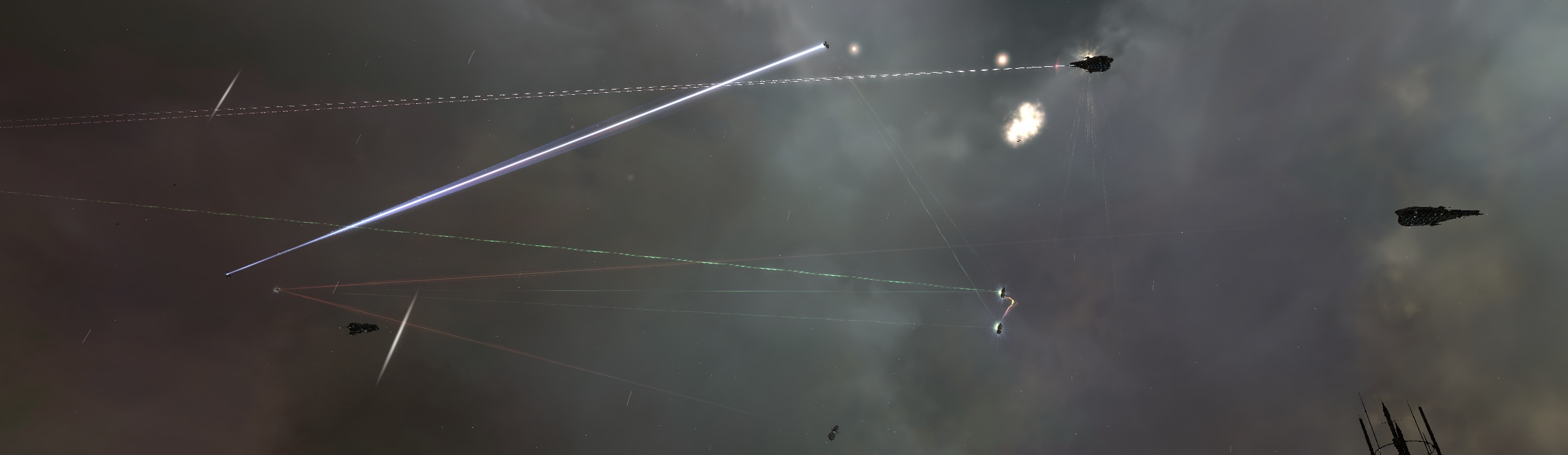
Warping out of the tower's shields lets us check our paired capabilities. Powering the energy transfer modules throws charged beams at each other's ship, draining the capacitor quickly. The drain on the capacitor is easily recharged, with plenty to spare, thanks to the 15% reduction in capacitor use per level of the logistics ship skill that the Guardian gives, so we both send out significantly more energy to the other than we use to do so. Even with all four remote reppers running, our ships remain cap stable. It defies physics, but that just makes it even cooler.

A corporation colleague is keen to test out our survivability, bringing various battleships and drones in turn to where we are playing. Targeting one of us and then the other, he looses volley after volley of energy beams, missiles and artillery, but four large repair modules running on each of us means the damage barely registers beyond stripping the vestigial Amarrian shields.

All in all, we run a successful test of our initial Guardians' fittings and capabilities. The ships still needed to be tested in combat conditions, and the huge drain on the capacitor makes synchronising the energy transfer modules a little important, but it looks like we can keep our fleet battleships repaired better than they can. What needs to be found is how much tank the fleet can sacrifice for DPS without dropping below a level the twin Guardians can safely repair.

Picking up a cheap Guardian

2nd December 2009 – 5.44 pm

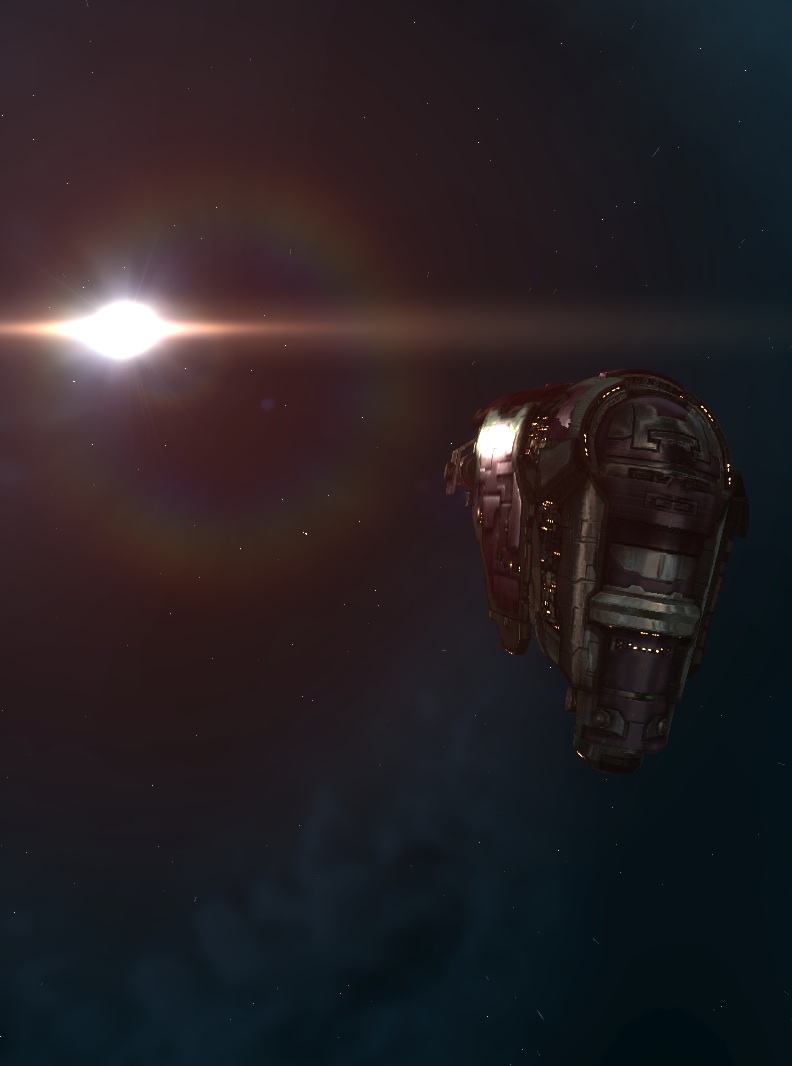
A new ship arrives at the tower, a Guardian logistics ship, heralding the return of Kename Fin to w-space. The Guardian is designed to stay close to but out of combat, providing support to other ships as they need it. The logistic ship bonuses to remote armour repairs and energy transfer are huge, but are far from making the Guardian self-sustainable. What is needed is a second Guardian so that the pair can leech off each other's bonuses and become more powerful than the individual. The high-sec exit to k-space is still available, and my training towards the Damnation provides me with all the basic skills required to pilot a Guardian, so I take my bare pod to market.

The exit wormhole may be in to a high-sec system but, judging by the state of the market, it is in the middle of nowhere. I almost get more sensible information from the market interface when I am in w-space. I set a destination towards Lonetrek, where Guardians have been spotted cheaply, and start warping and jumping, keen to get the Guardian and return to the tower before the wormhole decays behind me. A few jumps crosses me over a regional boundary, and finally there are some Guardians for sale. One of the ships on the market looks to be rather cheap, a good five million ISK cheaper than elswhere. It could be said to be suspiciously cheap, but I only see the bargain and buy it quickly before anyone else does.

It is only when I set the destination in to my navigational computer that I realise why the price of the Guardian I buy is cheap, and I start wondering how I will get two systems in and out of low-sec safely. Entering low-sec in my pod is risky, although its agility makes it an unlikely target overall. However, getting the Tech II Guardian back out is a concern. First I consider putting the Guardian back on the market and buying a more conveniently placed ship, but my recent excursions through low-sec in my fabulous Crane have inured me a little towards the dangers of low-sec travel. But I would still rather have a measure of safety.

I buy a shuttle cheaply, and two warp core stabilisers to fit on to the Guardian. I only need to warp away from danger, not stand up to it. The shuttle remains agile and quick, and lets me carry the stabilisers to the low-sec station. The first jump in to low-sec is easy enough, but the second gate has two wrecks on the other side, in the system where my Guardian waits for me. There is no gate camp, though, or any sign of further combat, and I am able to dock in the station easily enough. And there in my hangar is my new ship, ready to be assembled for my pod's insertion. I fit the two warp core stabilisers, but the shuttle is too big for the Guardian's hold. Rather than continue to fill my assets tab, I repackage and put the shuttle back on the market, marked up for a profit of course.

Heading back out in my brand new logistics ship is interesting. The Guardian is entirely unfitted except for the warp core stabilisers, and I am rather hoping not to have to test their reliability. I fly out the way I came, where it looks as if the gate with the two wrecks is about to have more debris scattered around it. Some big ships are having a quarrel on the stargate, settling arguments with guns. According to my sensors, one of the ships, lovingly highlighted by my overview with a red skull, is trying to warp scramble the other. It is probably good that they find each other to fight, as it lets me drop out of warp and jump before they have much time to register my appearance. The rest of the route is clear, thankfully.

Once back in high-sec, I only need to worry about the wormhole remaining open, which it is, and I am back at the tower in w-space in good time. Now I need to fit my Guardian, so it's good that Fin has an example waiting for me to crib from.